SimpleCert Certificates are are available 24/7, forever. Unless the company or organization that issued your certification chooses to delete your certificate, you will always have several methods available to access your certificate:
- Access your certificate directly via the link contained in your notification email. As long you have that initial email, the URL to access your certificate will always remain active to click on.
- Access your certificate via the Providers’ Recipient Portal. Businesses or organizations who utilize SimpleCert as a monthly Subscription automatically have their own Recipient Portal, where you can go to automatically access your certificates at any time. Not sure how to tell if your certificate issuer has a Recipient Portal? Just look on a notification email that you’ve received from them, below the standard certificate download link. If a Certificate issuer has an active Recipient Portal for their account, you will see instructions and another link that will take you directly to their Portal.
But what if I no longer have my notification emails, or what if I have been awarded multiple certificates from different companies that all use SimpleCert?
The SimpleCert Universal Portal is a free, publicly available page that will provide you with the ability to access every certificate that has been awarded to you, regardless of provider or when the credential was issued. This provides you with an easy way to access any certificate, whenever you need.
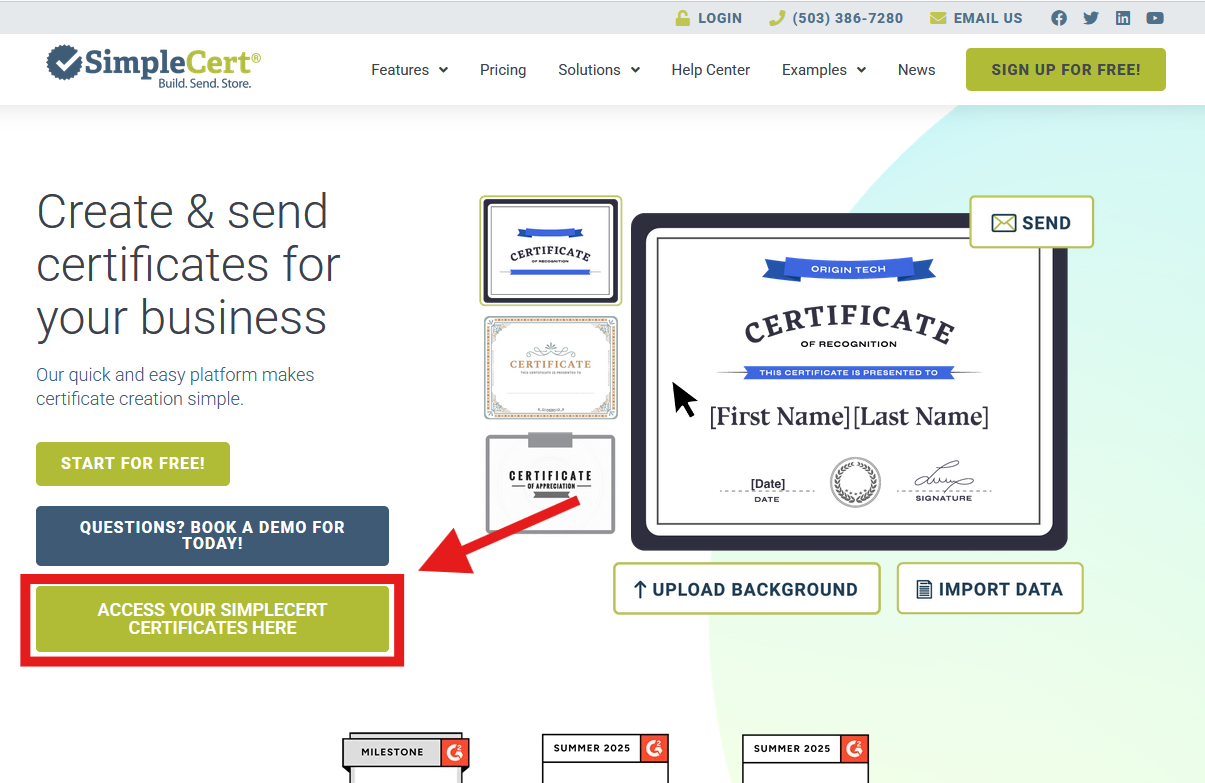
The link to access the Certificate Portal is here: https://portal.simplecert.net/credentials/login . You’ll also see that there is a direct link to access the universal portal on the main page of the SimpleCert website:
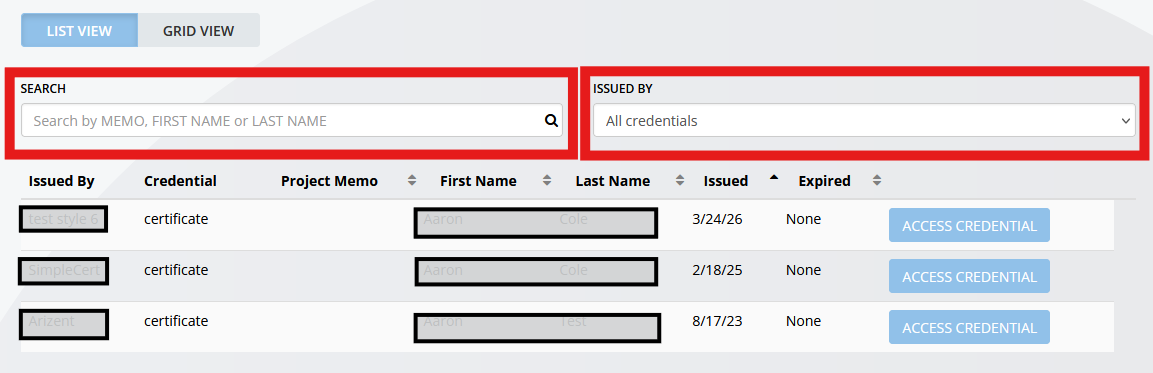
To ensure the security of your data, you will need to set and maintain a password when you first log in. Once logged in, you’ll find all certificates associated to your email. You can search for specific credentials, and even segment out certificates based on issuer: